
Your Peaceful Sleep Starts Here
How to Get Started with Your QuietOn
Step 1: Start in a Noisy Environment
To experience QuietOn’s noise‑cancelling performance, begin in a space with background noise—music or ambient sound works perfectly. The noise‑cancelling activates quickly, so act fast: the timer starts the moment you remove the earbud from the charging case.
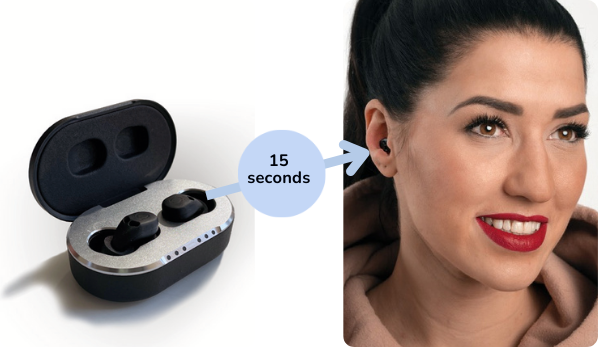
Step 2: Insert the Earbuds for an Airtight Seal
For the best noise reduction, QuietOn earbuds must fit securely and create an airtight seal.
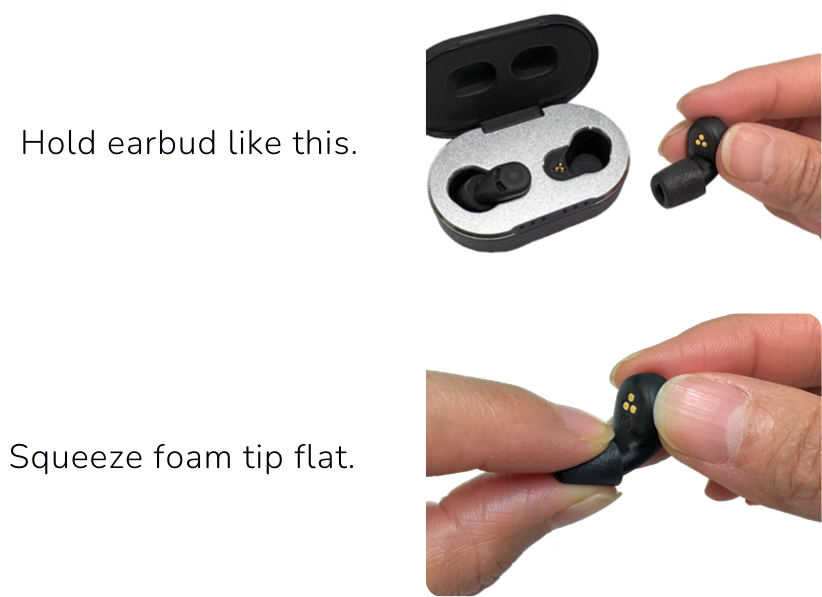
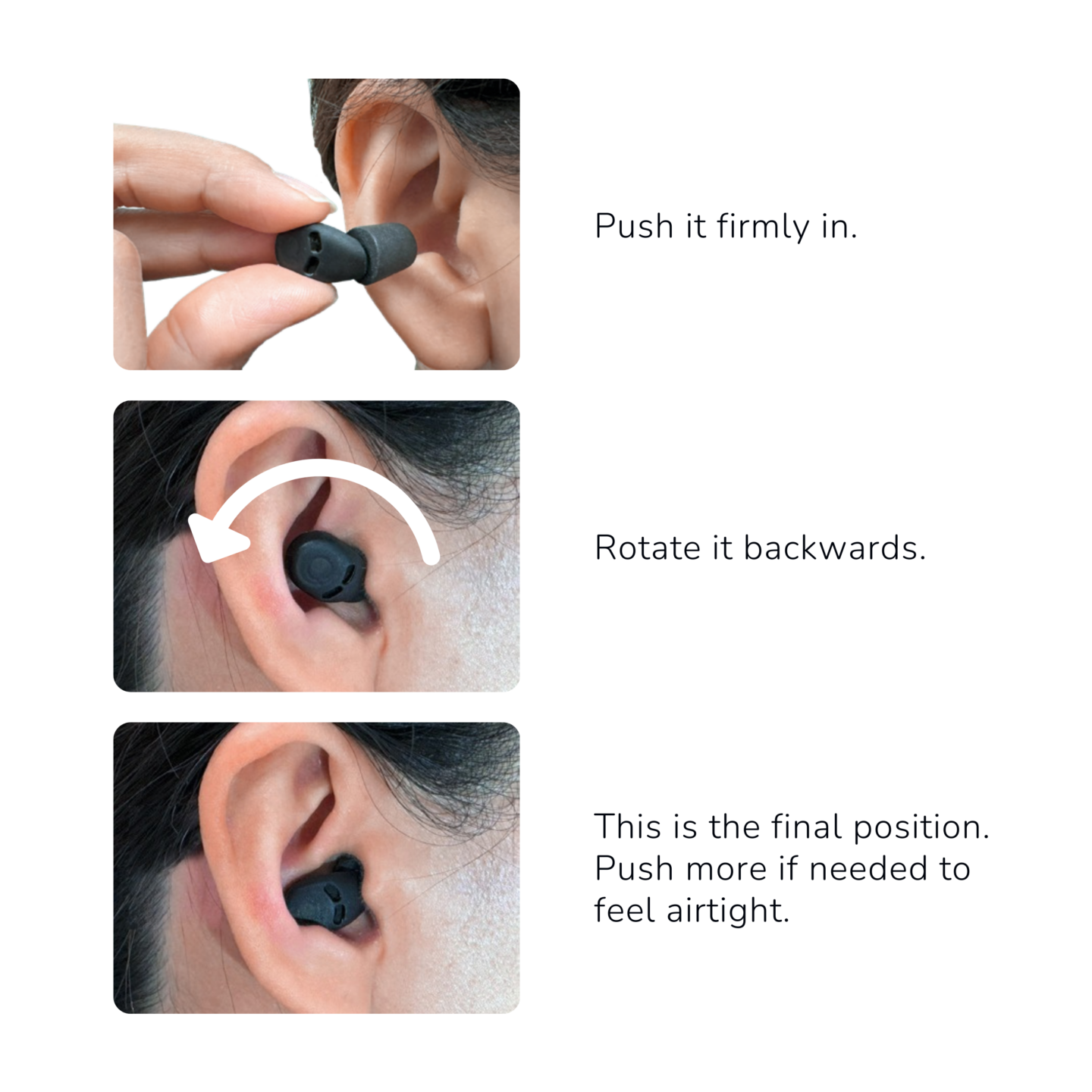
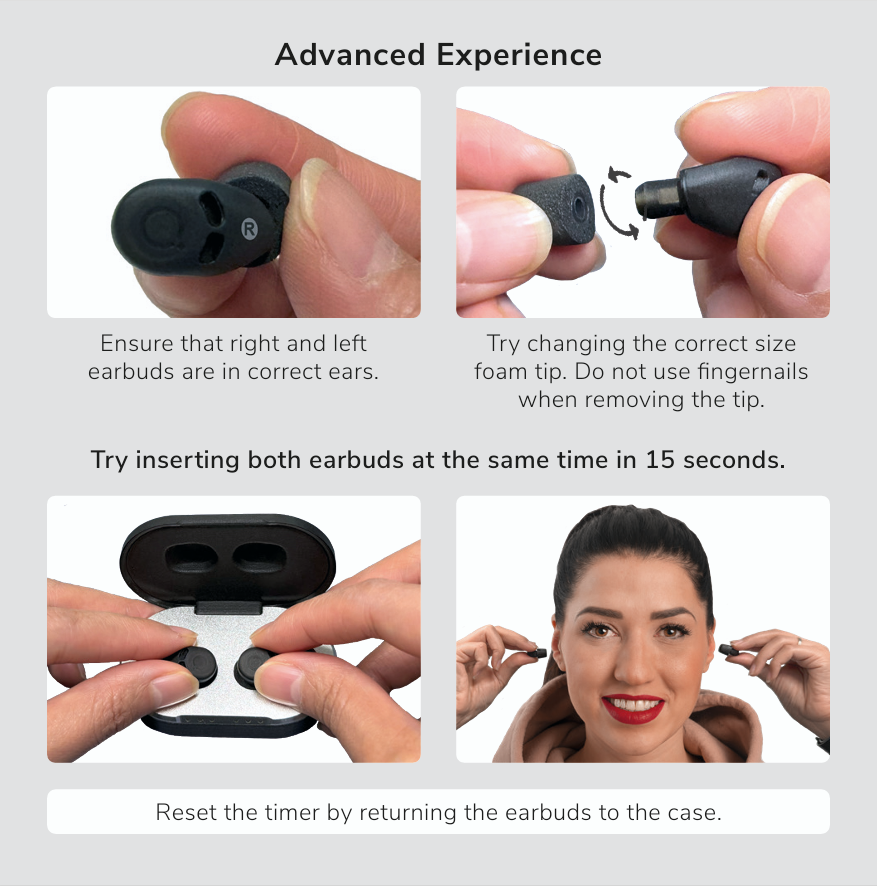
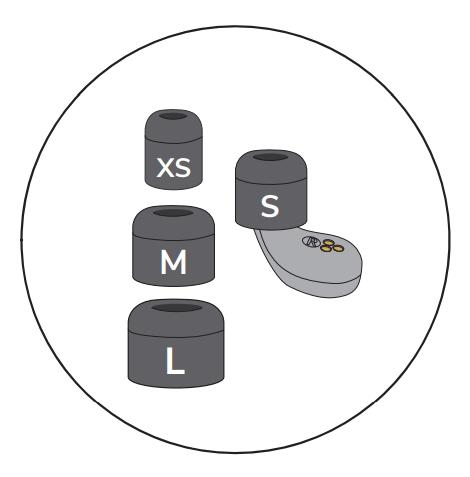
Check if the foam tip size (XS, S, M, L) is correct for your ear and replace it if needed.
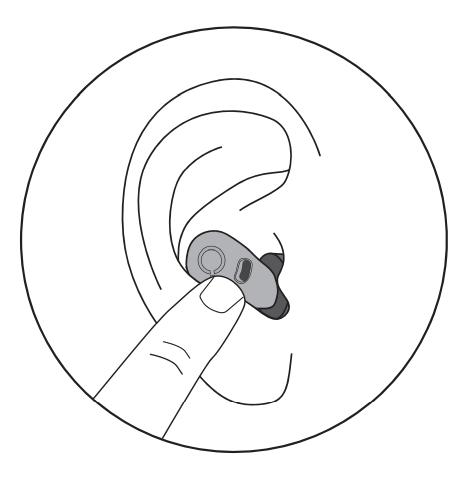
To ensure the correct size, press the device when it is inside your ear. You should feel a change of air pressure inside the ear canal.
If the ears are hairy, it might cause problems in achieving airtightness and might therefore result in a lack of noise cancelling performance.

Wait a sec, I can still hear sounds with QuietOn 4 in my ears?
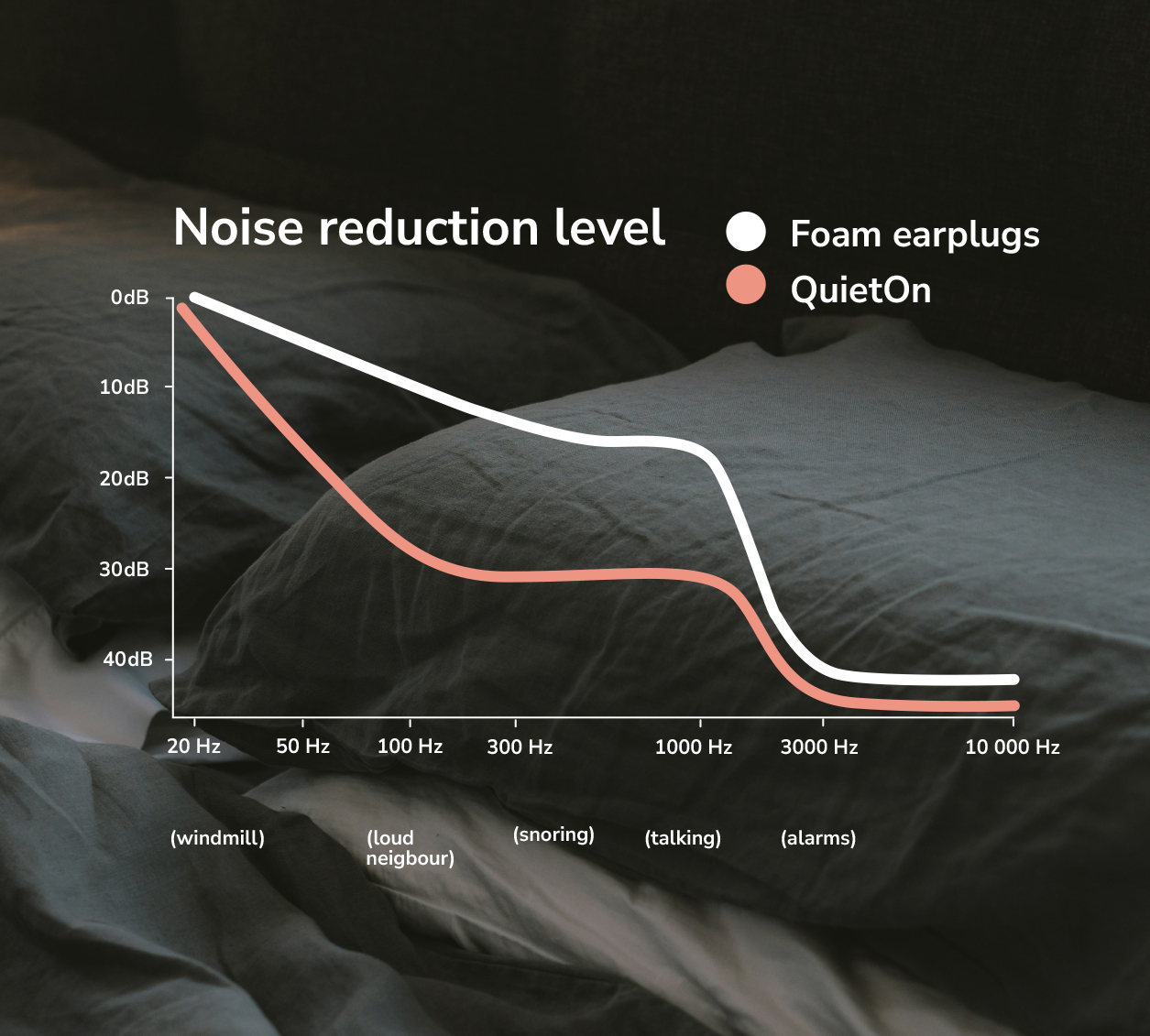
You may still hear some sounds with QuietOn 4, and that’s normal. No noise-cancelling earbuds can create total silence. QuietOn 4 is especially effective at reducing low-frequency noise like snoring, traffic, and bass sounds, while higher frequencies are reduced similarly to high-quality foam earplugs. Very loud snoring may still be faintly audible at a much lower level, and you’ll still be able to hear your alarm in the morning.
How to be sure the earbuds battery is charged?
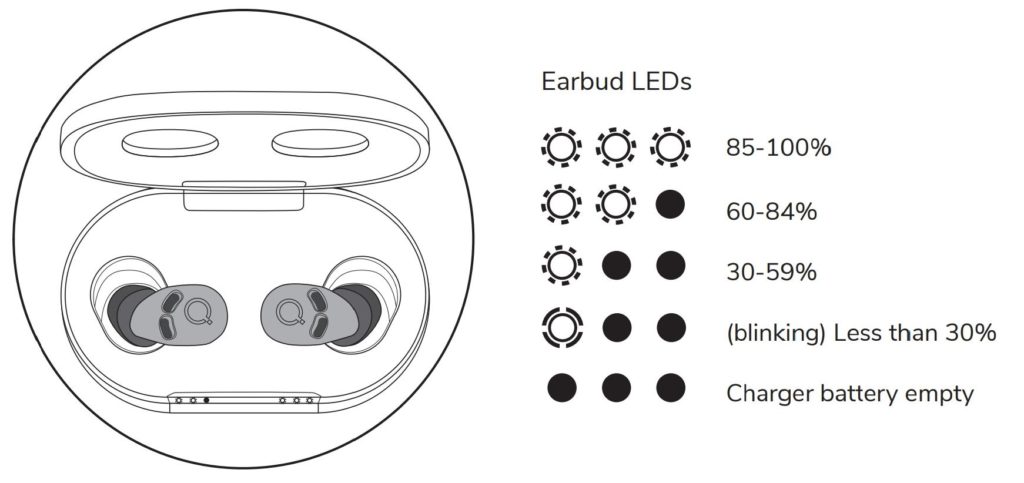
The earbuds are always charging when the battery is not full, and the battery of the charging case is not empty. Charging takes about 2 hours.
1. When the case is closed, the LED lights indicate the progress of the charging with a breathing sequence. Whenever the battery gets fuller, more and more leds are lit.
2. When the case is open, the LED lights show the battery level of the earbuds. If all lights are lit, earbuds are fully charged and ready to use. If at least one LED is lit (more than 30%), it is enough for one night. When the earbud is taken from the case, it turns on automatically.
How to charge the charging case?
• Attach the small end of the USB-C cable to the port behind the charging case. You can find the USB-C cable in the sales box.
• Attach the bigger end to the mobile phone’s charger or the laptop’s USB type-A port providing 5 V and max 3 A.
• LEDs indicate the charging status.
• Charging takes around 3 hours.
• When the case is opened, it indicates its battery status for 30 sec.
• If at least one LED is lit (more than 30%), this is enough to charge the earplugs once.