
Your Peaceful Sleep Starts Here – FAQ
Troubleshooting
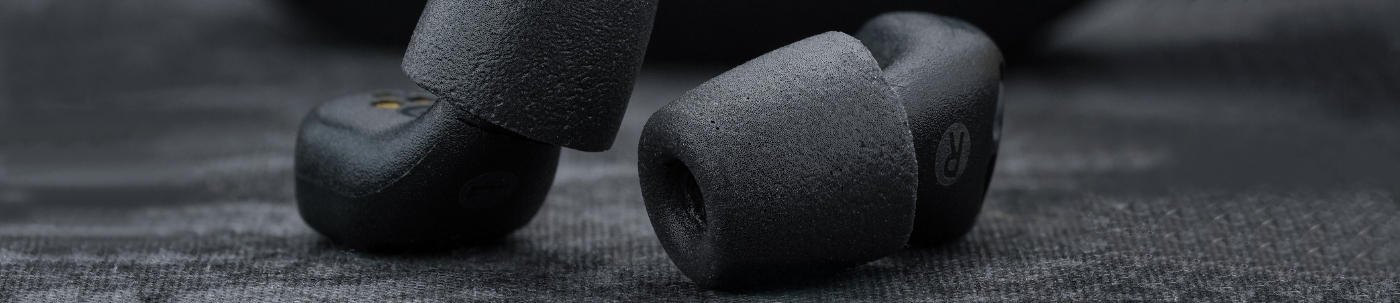
For the best Active Noise Cancellation (ANC) results, it is important that your earbuds create a secure and airtight seal in your ears. Start by making sure the earbuds are positioned correctly. When inserted properly, they should not be visible from the front. Choosing the right eartip size also plays a big role. If you notice that background sounds are still coming through, try switching to a larger foam tip to achieve a tighter fit. A good seal ensures maximum noise reduction and a more peaceful sleeping experience.
This is normal and occurs when the microphone picks up sound from the speaker in a sealed space. The device is safe and fully functional when in the ear. The sound will disappear once Active Noise Cancelling (ANC) mode is engaged.
Earbuds turn off automatically when placed in the charging case. Upon removal, insert the earbuds quickly so you’ll notice the switch from hear-through mode to ANC mode, this switch happens 15 seconds after the earbuds are removed from the charging case. The charging case resets automatically when connected to power.
QuietOn 4 starts in hear-through mode when removed from the charging case and automatically switches to Active Noise Cancelling (ANC) mode 15 seconds later. You should notice a clear shift as noise cancellation activates at that point.
Step 1. Start in a noisy environment: To experience QuietOn 4’s noise-cancelling performance, begin in a space with background noise. The noise cancelling activates quickly, so act fast, the timer starts the moment you remove the earbud from the charging case.
Step 2. Insert the earbuds for an airtight seal: For the best noise reduction, QuietOn earbuds must fit securely and create an airtight seal. Check that the foam tip size (XS, S, M, L) is right for your ear and replace it if needed, you should feel a slight change in air pressure inside the ear canal when the fit is correct. If your ears are hairy, it can make an airtight seal harder to achieve and reduce noise-cancelling performance.
That’s normal, no noise-cancelling earbuds, including QuietOn 4, can create total silence. QuietOn 4 is especially effective at reducing low-frequency noise like snoring, traffic, and bass sounds, while higher frequencies are reduced similarly to high-quality foam earplugs. Very loud snoring may still be faintly audible at a much lower level, and you’ll still be able to hear your alarm in the morning.
The earbuds charge automatically whenever the battery isn’t full and the case isn’t empty. When the case is closed, the LED lights show charging progress with a breathing sequence, more LEDs light up as the battery fills. When the case is open, the LEDs show the earbuds’ battery level: all lit means fully charged; at least one lit (30%+) is enough for one night. The earbud turns on automatically when removed from the case.
Attach the small end of the included USB-C cable to the port behind the charging case. Attach the larger end to a phone charger or laptop USB-A port providing 5V and up to 3A. LEDs indicate charging status, and a full charge takes around 3 hours. When opened, the case shows its battery status for 30 seconds; if at least one LED is lit (30%+), that’s enough to charge the earbuds once.
Get your QuietOn
Get your QuietOn